Geosystem Configuration Tab
What does it look like?
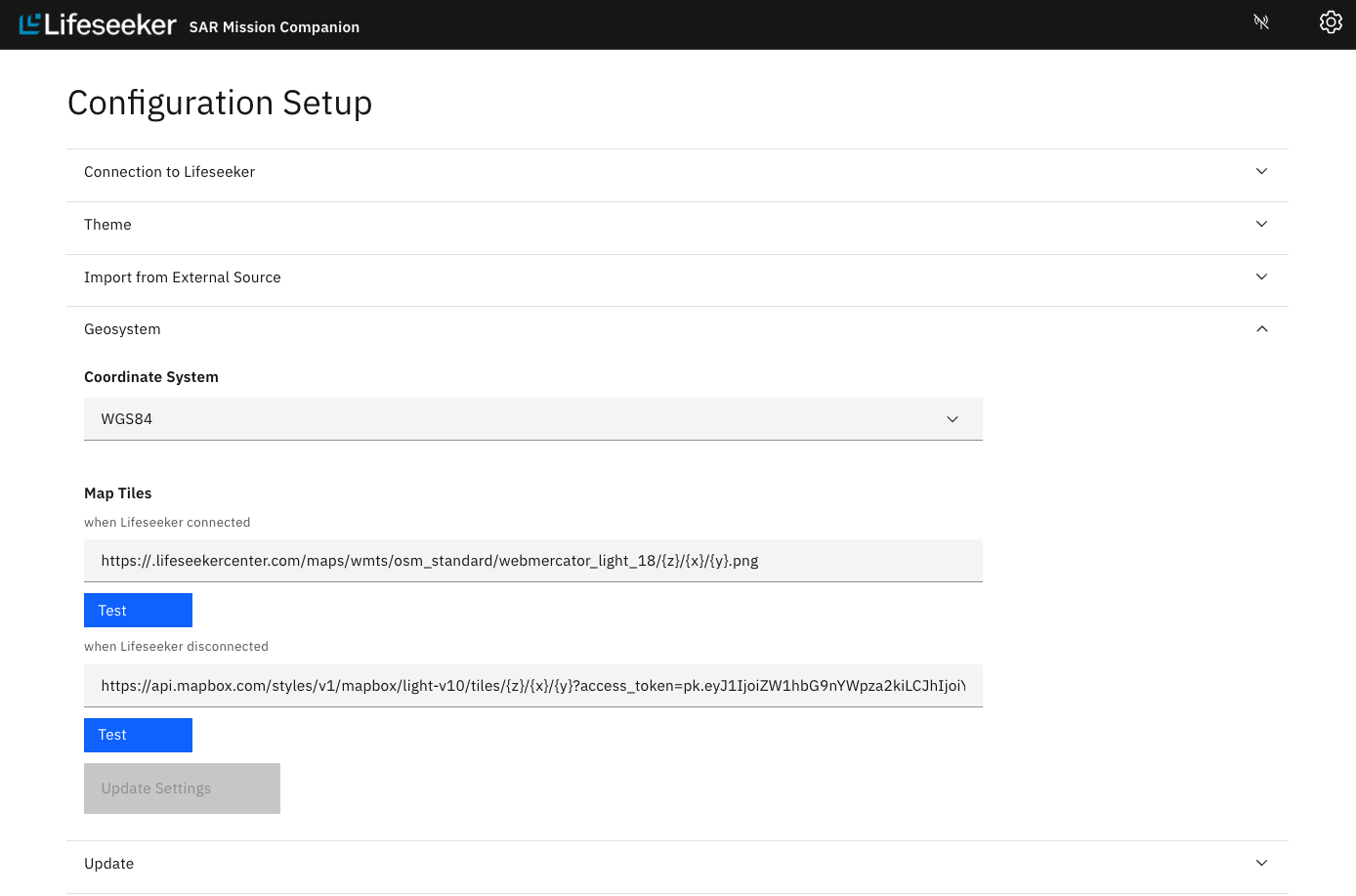
The Configuration Page includes a new tab labeled 'Geosystems'. It includes the already existing Coordinate System dropdown and the new Map Tiles section.
What is it for?
The Map Tiles section includes an input for the maps to be used when the Lifeseeker is connected, as well as one to be used when the Lifeseeker is disconnected. Both are configurable by the user and as a precaution, the test button checks if your latest input will indeed fetch map tiles. After testing, in order for your changes to be saved, the 'Update Settings' button must be clicked.
